Loadout
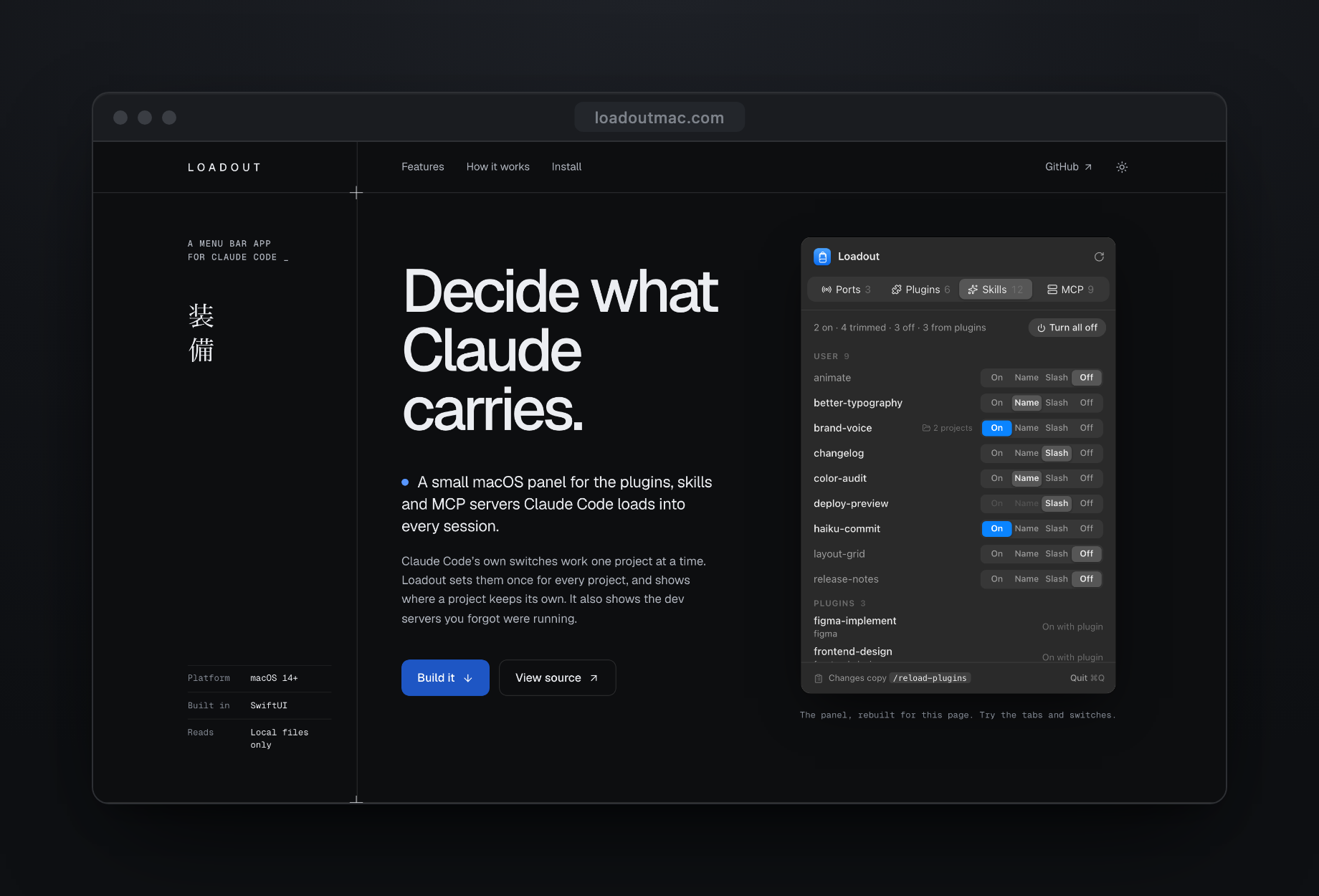
A menu bar app that decides what Claude Code carries into every session.
Every plugin, skill and MCP server you install in Claude Code is described to the model at the start of every session, whether you use it that day or not. I wrote about why that matters in the note on the AI bill: whatever sits in the window competes for attention on every turn. Loadout is the switchboard I wanted for that.
The problem with the built-in switches
Claude Code already has switches. Most of them work on one project at a time, and they save to three different places. /skills writes to the current project’s settings. /mcp turns a server off for the current folder, so a new folder starts with everything back on. /plugin disable is global, but it takes the whole plugin with it. And the one block that holds in every project, deniedMcpServers, has no UI at all. You type server names into a JSON file by hand.
Turn a server off with /mcp, open a new folder, and it’s back.
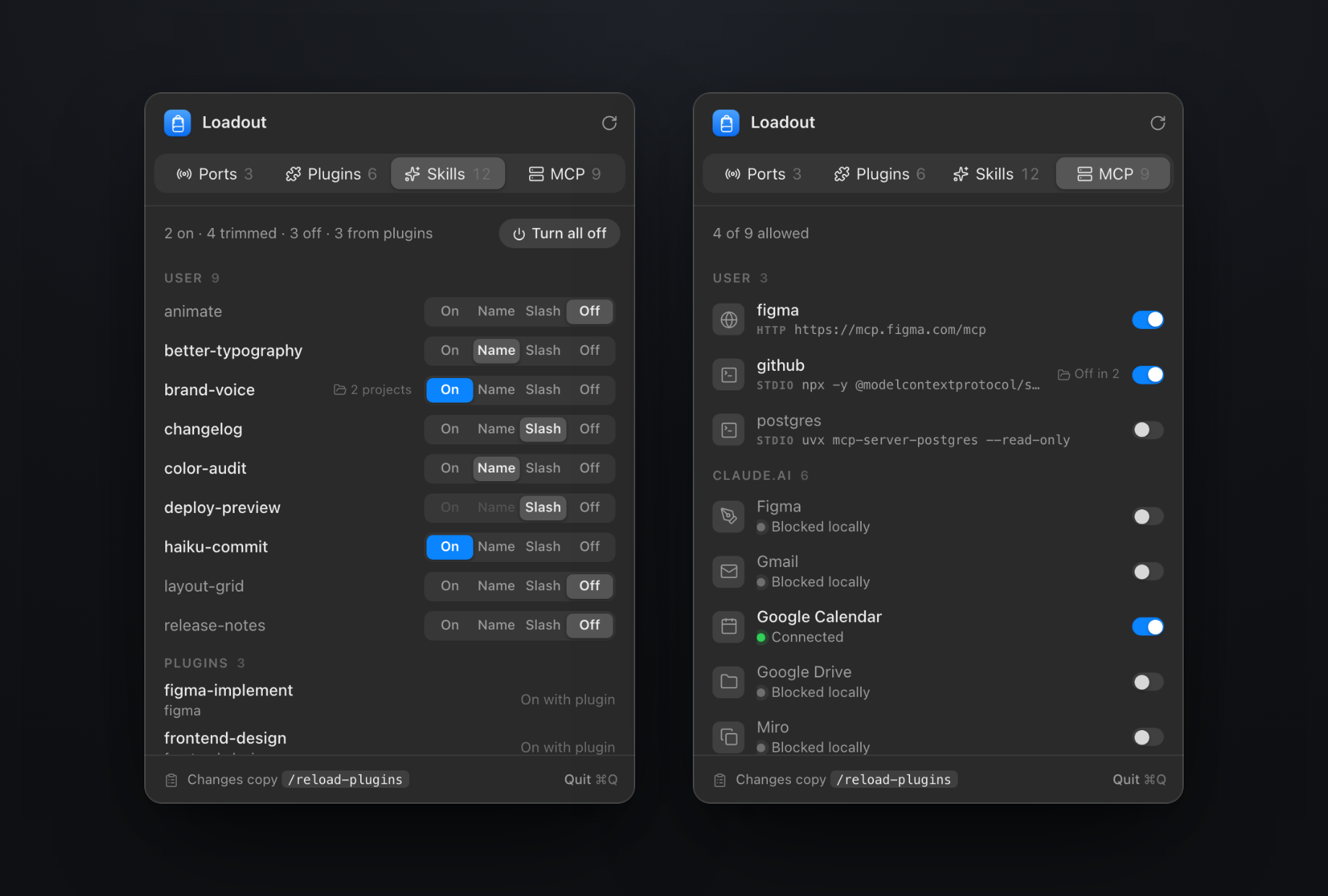
Loadout writes the user-level fields once, for every project. It reads the project-level ones too, but only to flag them. If a project keeps its own setting for a skill, a small folder marker says so and the tooltip names the projects. Changing those stays a job for that project.
Four states for a skill
A skill can be On, Name, Slash or Off. Most people only know the two ends. Name is the useful one in the middle: the model still sees the skill’s name and can reach for it, but the description stays out of the window. Slash hides it from the model entirely and leaves it for you to call with /name.
How much does that save? I measured it on my own set of 28 skills. About 2,800 tokens with everything On, about 140 with everything on Name.
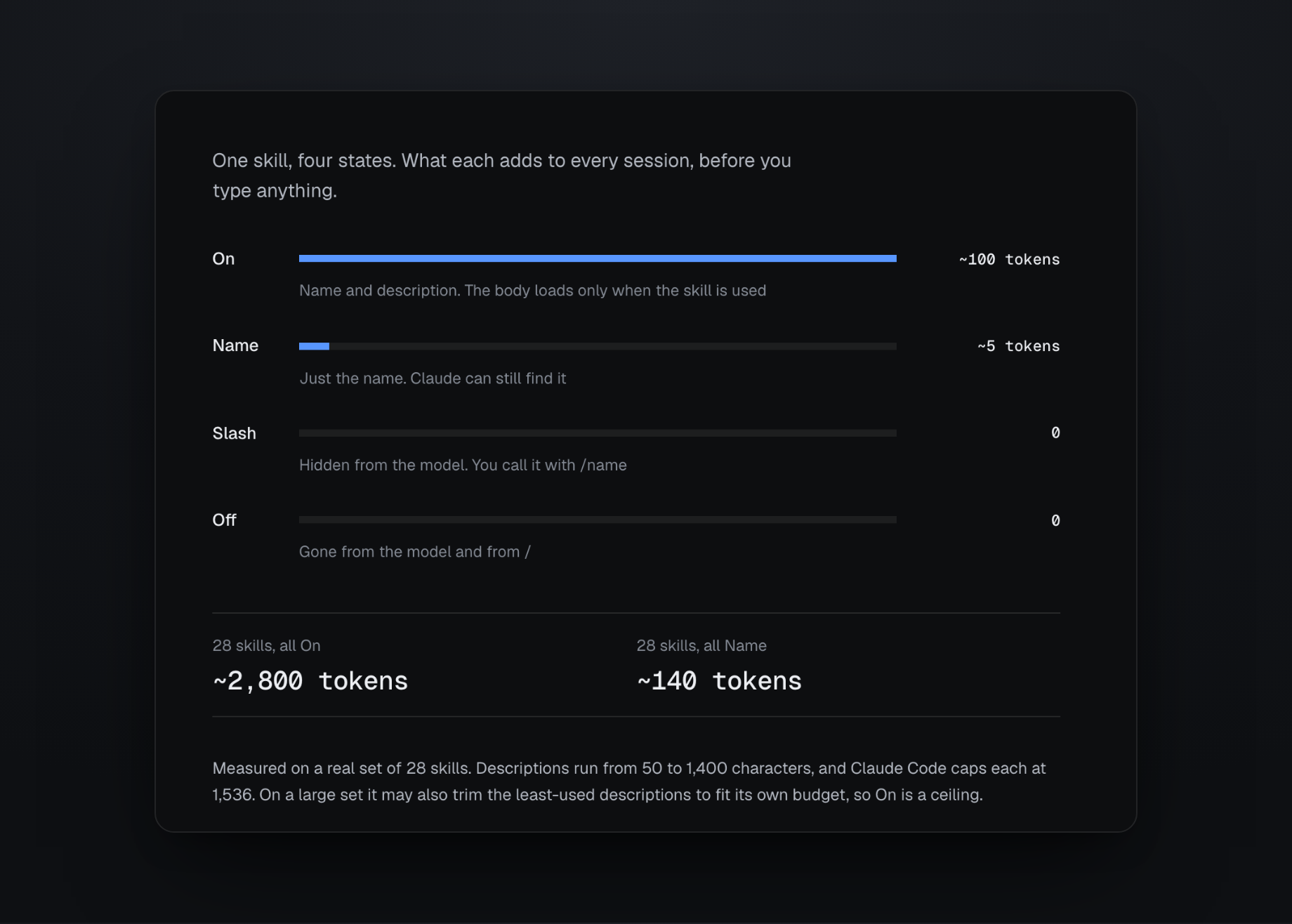
The first version of the site got this wrong. It said an On skill loads its whole body every session, which made the saving look more than forty times bigger than it is. The body only loads when the skill gets used. I measured again and rewrote the page around the real numbers, which are smaller and still worth having.
Ports
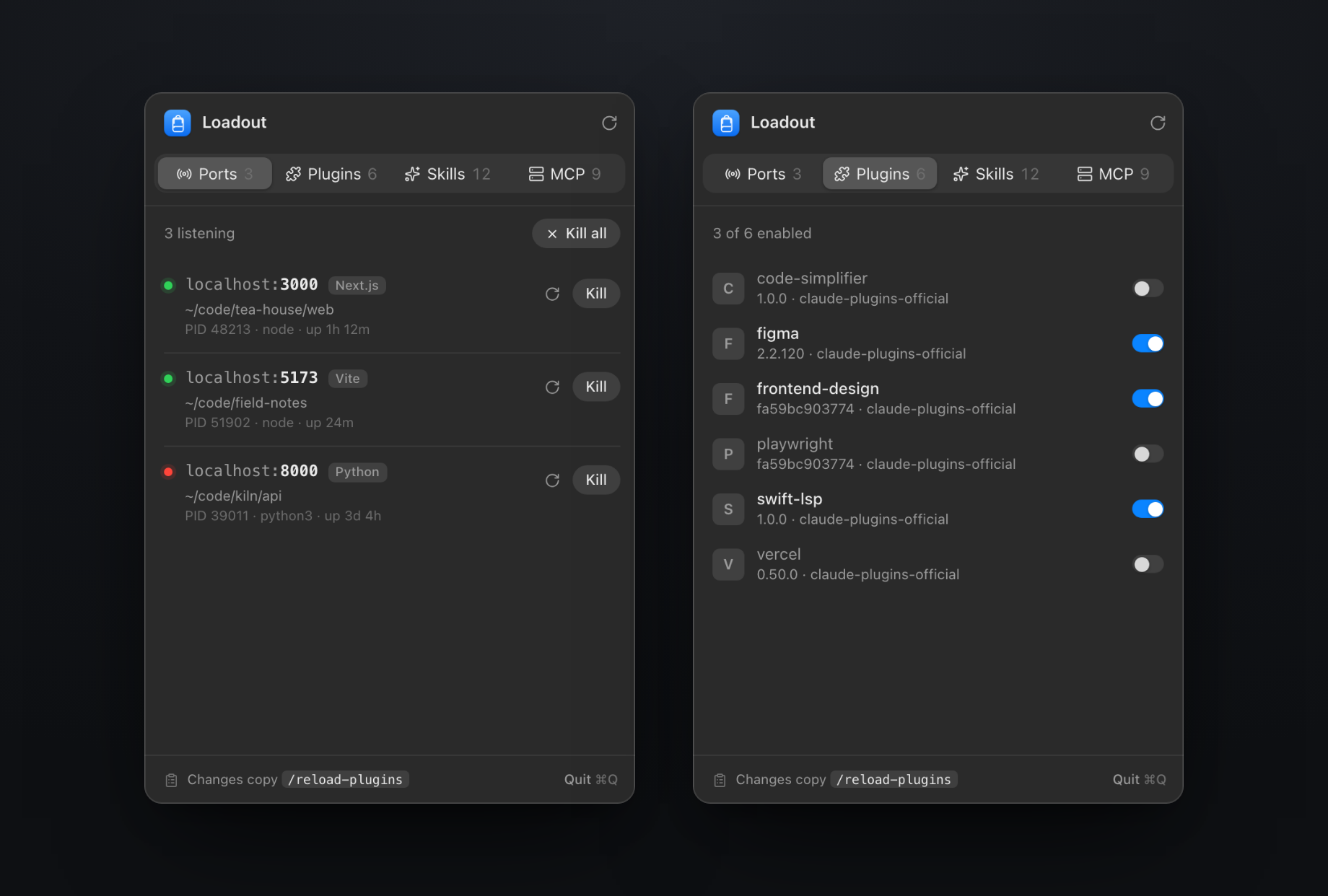
The first tab has nothing to do with context. It’s for the dev servers you forgot were running. Ports lists every listening dev server with its project folder, framework, PID and uptime, and a live probe turns the dot green or red. Restart relaunches the same command in the same folder. Kill all asks twice. The detection is ported from port-whisperer.
Small on purpose
Two Swift files and one build script, and the source is on GitHub. No daemon, no account, and nothing patched inside Claude Code. Every toggle reads the settings file, changes it, writes a temp file and swaps it in, so a file is never left half-written. There’s no undo, which is why the two bulk actions ask twice.
The part I couldn’t design away: Claude Code has no local socket to talk to, so Loadout can’t tell a running session that anything changed. After each toggle it copies /reload-plugins to the clipboard, and you paste it when you’re ready. New sessions pick up the change on their own.
For the site I rebuilt the panel in HTML, sized off the app’s own snapshot renders, so you can click through the tabs before you build anything. The demo data is invented, so nobody’s real machine shows up in it.
The name comes from the kanji down the side of the site, 装備: the equipment you choose to carry.