Factweavers
An analytics platform you build by talking to your data. Every number shows its work.
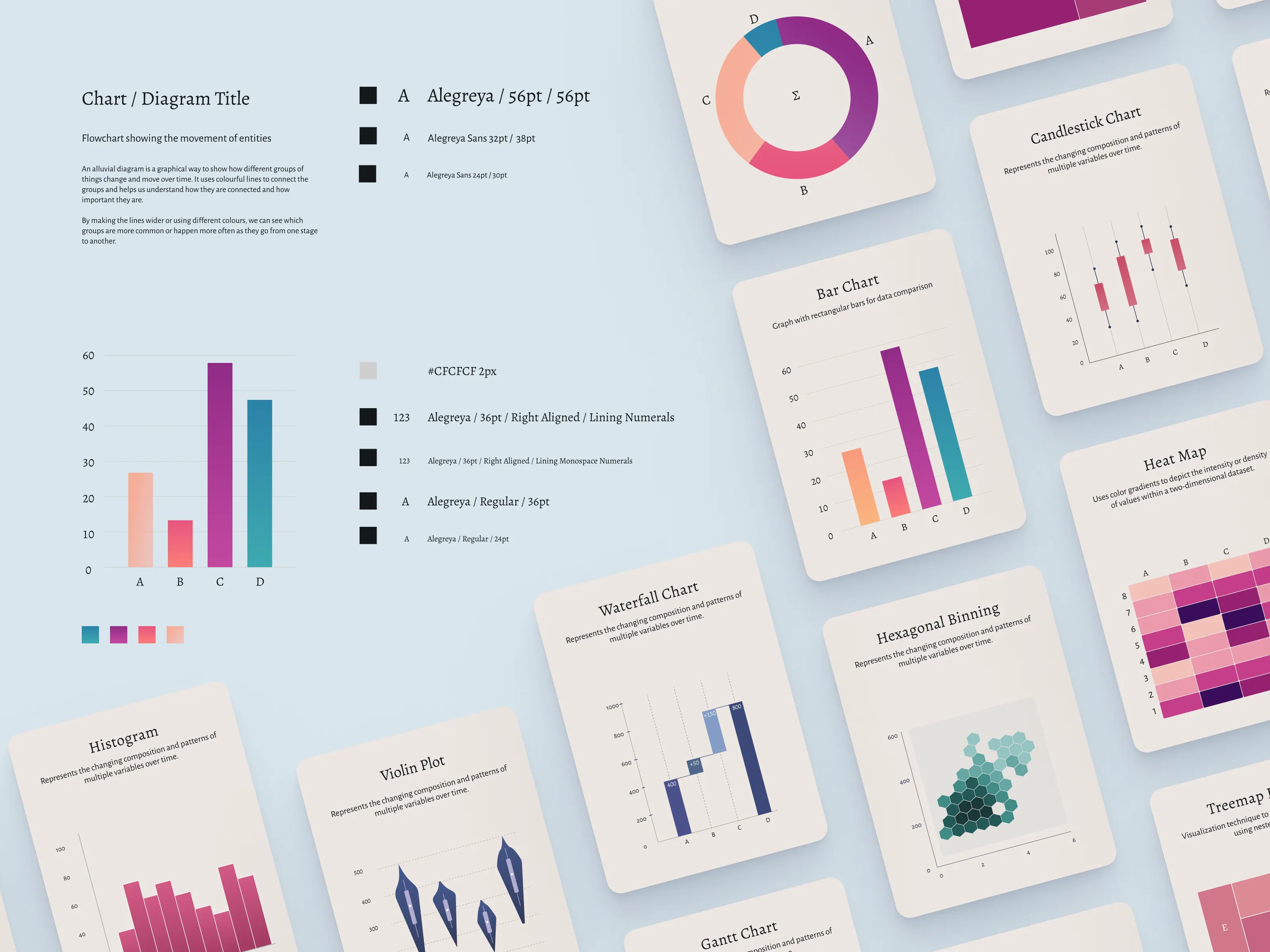
Factweavers found me through Dribbble. I had posted chart designs and visualization patterns as a passion project. A few of them travelled, and I got an inquiry to design a charts library that could be themed and would hold up at any resolution. The assignment grew into building the entire application from the ground up, as principal designer, across roughly a year and then a contract renewal.
When I joined, Factweavers was a data platform with a user experience assembled by developers. You could build dashboards and metrics by hand, and it was painful enough that analysts spent their days stitching metrics together instead of analysing anything, non-specialists gave up midway, and executives waited days for a chart.
I reviewed Tableau, Domo, Kyligence, Sigma and PowerBI for feature parity. In all of them, the road from raw data to a working dashboard takes days to weeks, depending on who’s available and how clean the data is.
The founding bet was that AI could collapse that to minutes. My job was to design the product where that bet could pay off without users having to take the AI’s word for anything.
Three rules
We set three rules and let everything else follow.
- AI must be inspectable, so every generated metric shows how it was calculated.
- Building a dashboard should feel like a checkout flow: structured, previewed, low cognitive load.
- The platform has to serve an executive, an analyst, and a data admin without asking any of them to learn the others’ job.
That last rule came out of persona work. We mapped five user types: analyst, product manager, executive, data admin, and the AI assistant itself, which we treated as a persona with its own obligations (“here’s what I understood, here’s what I can’t yet compute”).
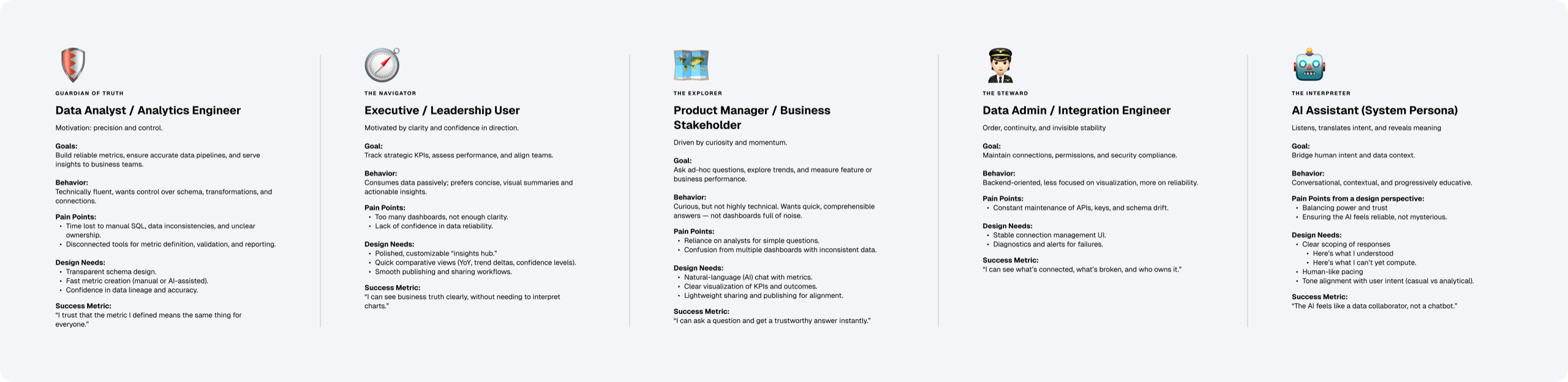
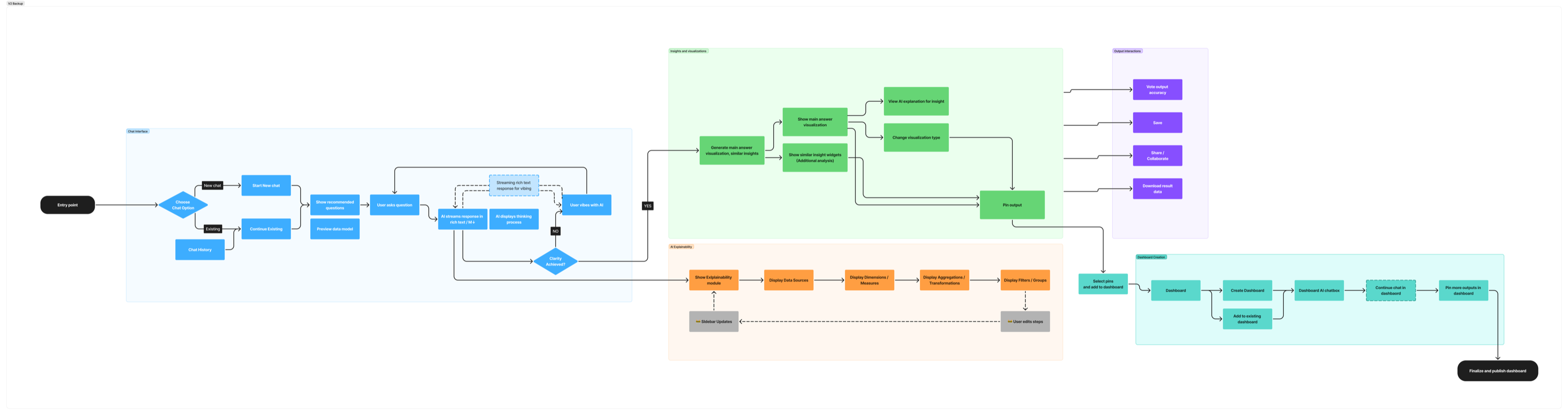
Five is too many to design one interface for, so we compressed them into two archetypes. The Explorer is curious and hypothesis-testing. The Navigator needs clarity, control, and confidence. The information architecture compressed a scatter of screens and modules into one line, onboard → ask, create → ship. We separated schema onboarding into a side quest, since only developers could perform it anyway.
An AI that earns trust slowly is more useful than one that borrows it and loses it.
Creating a metric
I built the manual builder first, deliberately. If users were going to trust an AI-generated metric, they needed to be able to open it, see how it worked, pick it apart and edit it by hand. Which means the manual path had to be intuitive and hard to get wrong before the AI path was worth anything.
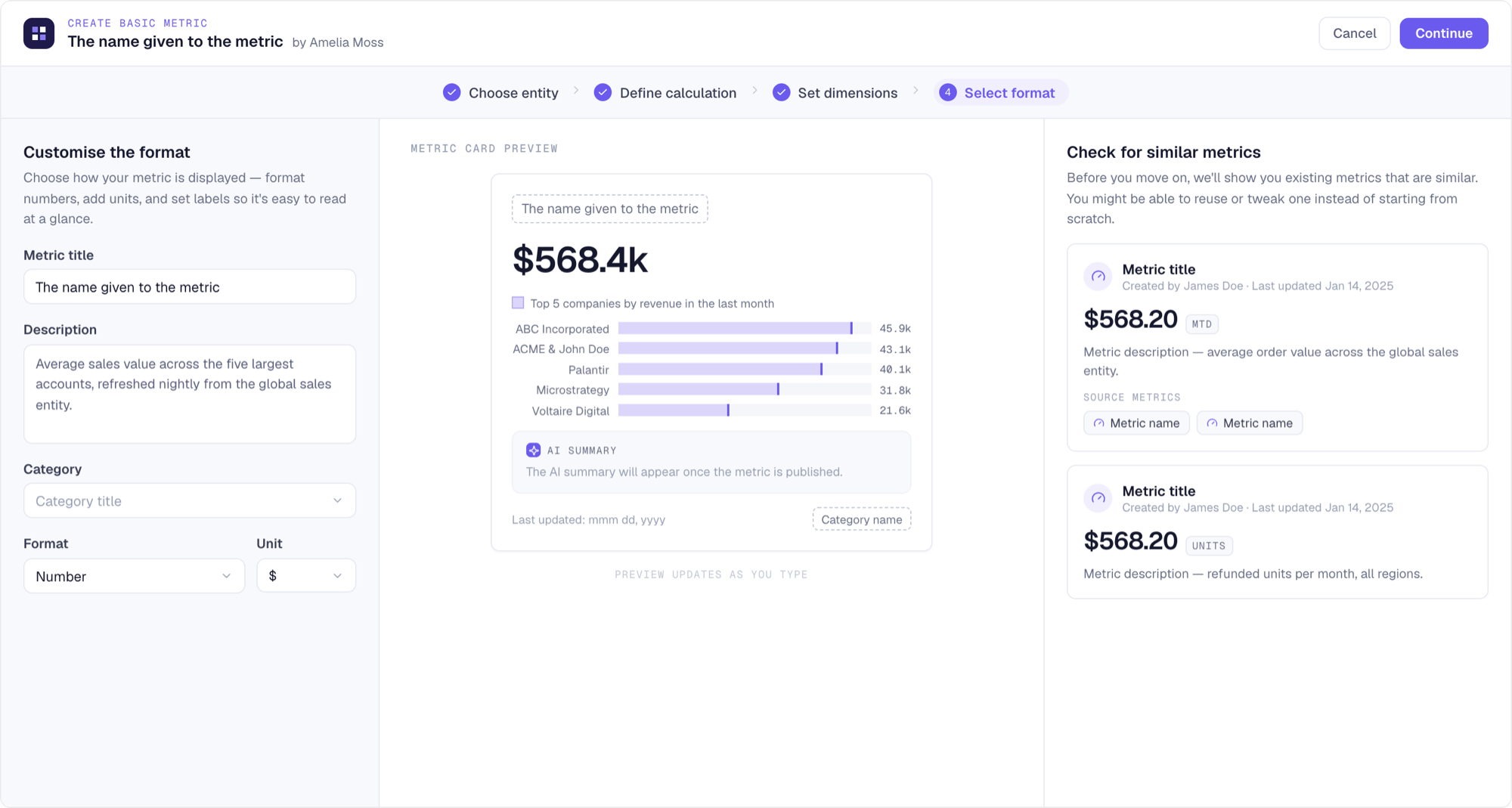
Metric creation became a 4-step flow: choose the entity, define the calculation, set dimensions, select the display format. I also designed an expression editor that evaluates as you type and previews the result against real data. The final step renders the actual metric card while you name and format it, so what you publish is exactly what your teammates will find.
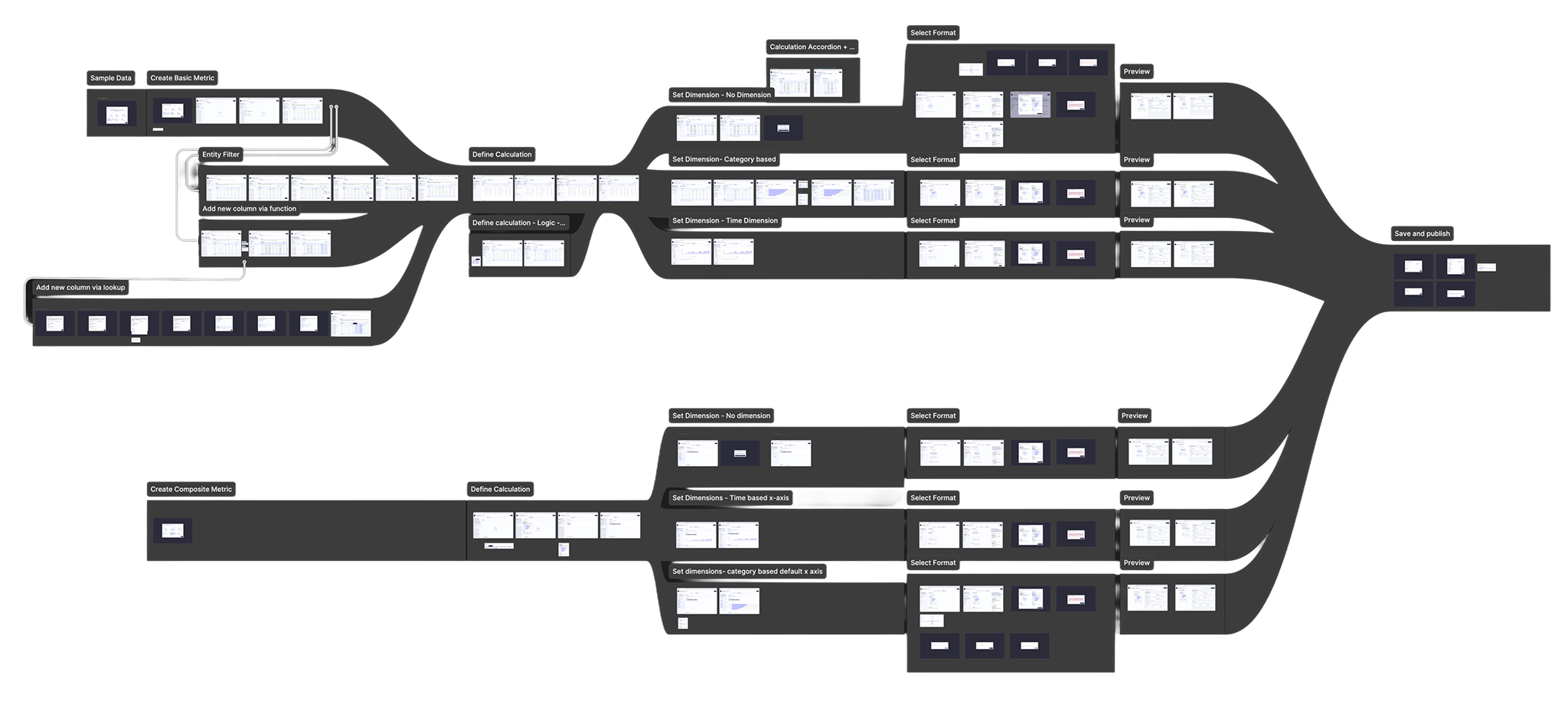
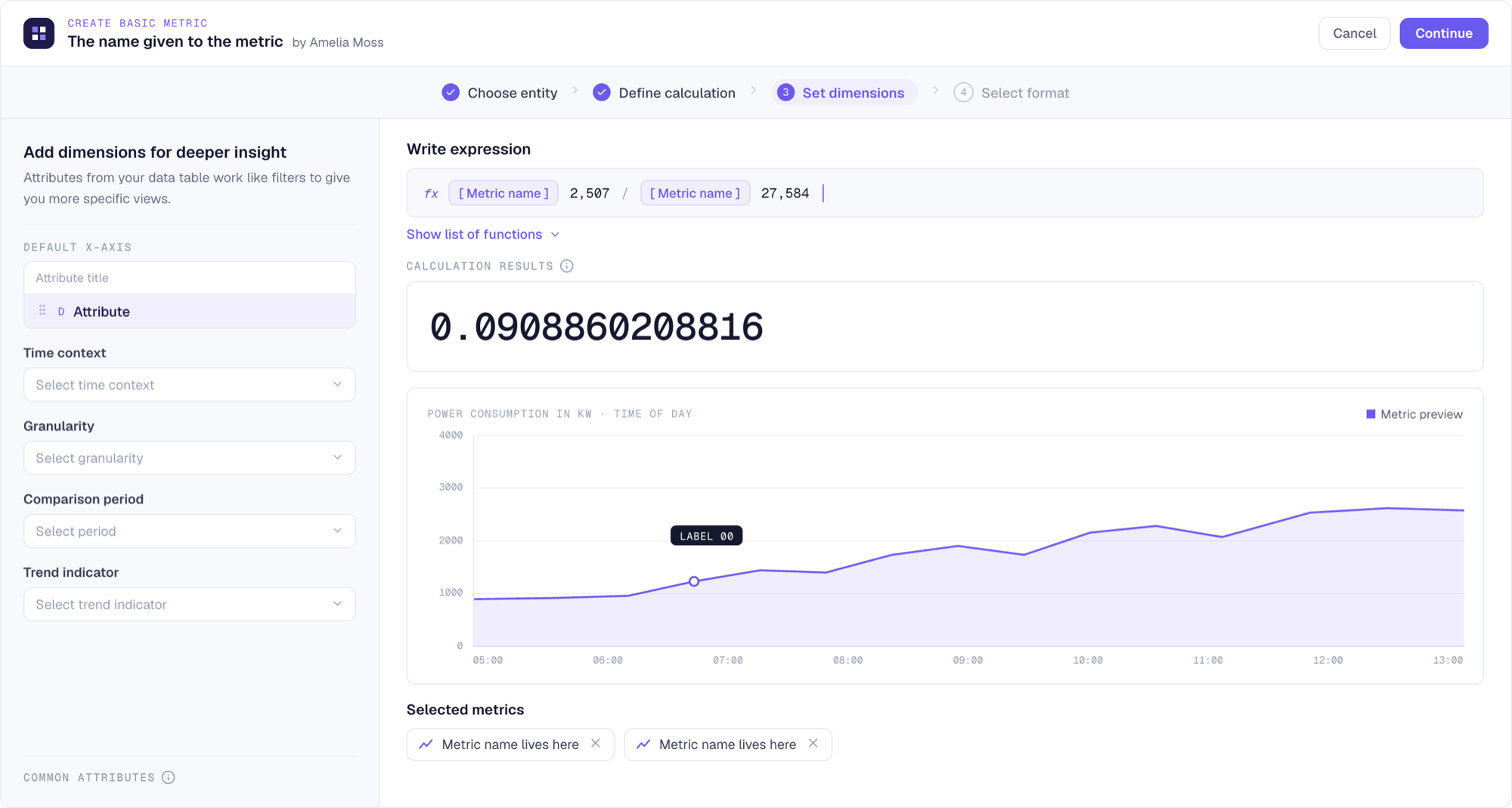
Two details in that flow do the governance quietly. Before a metric is saved, the system surfaces existing metrics that look similar, so a team’s existing revenue KPI gets reused instead of re-invented for the fourth time. And every published metric carries its lineage: the source metrics it was derived from, the calculation itself, who made it and when.
Building a dashboard
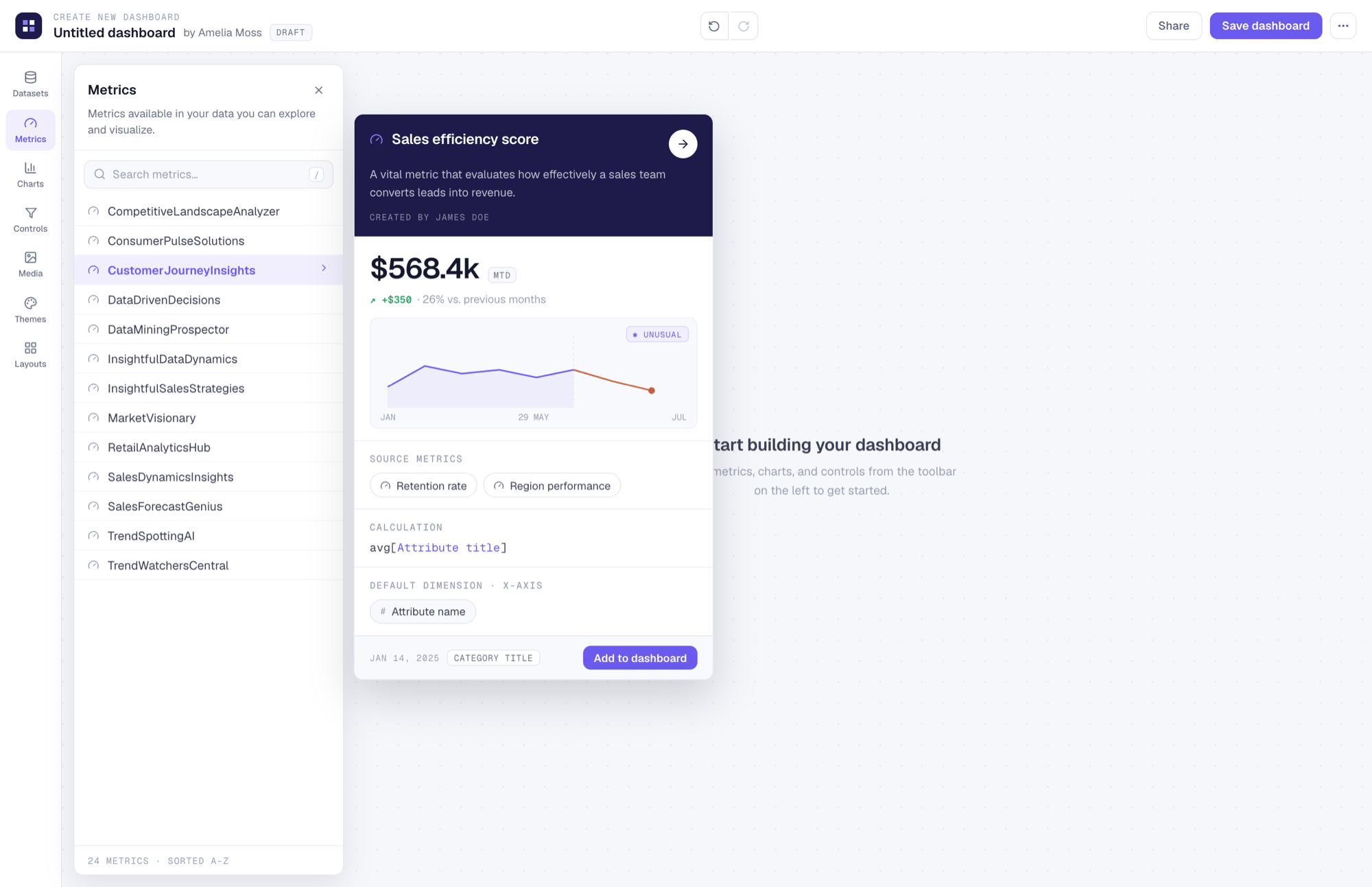
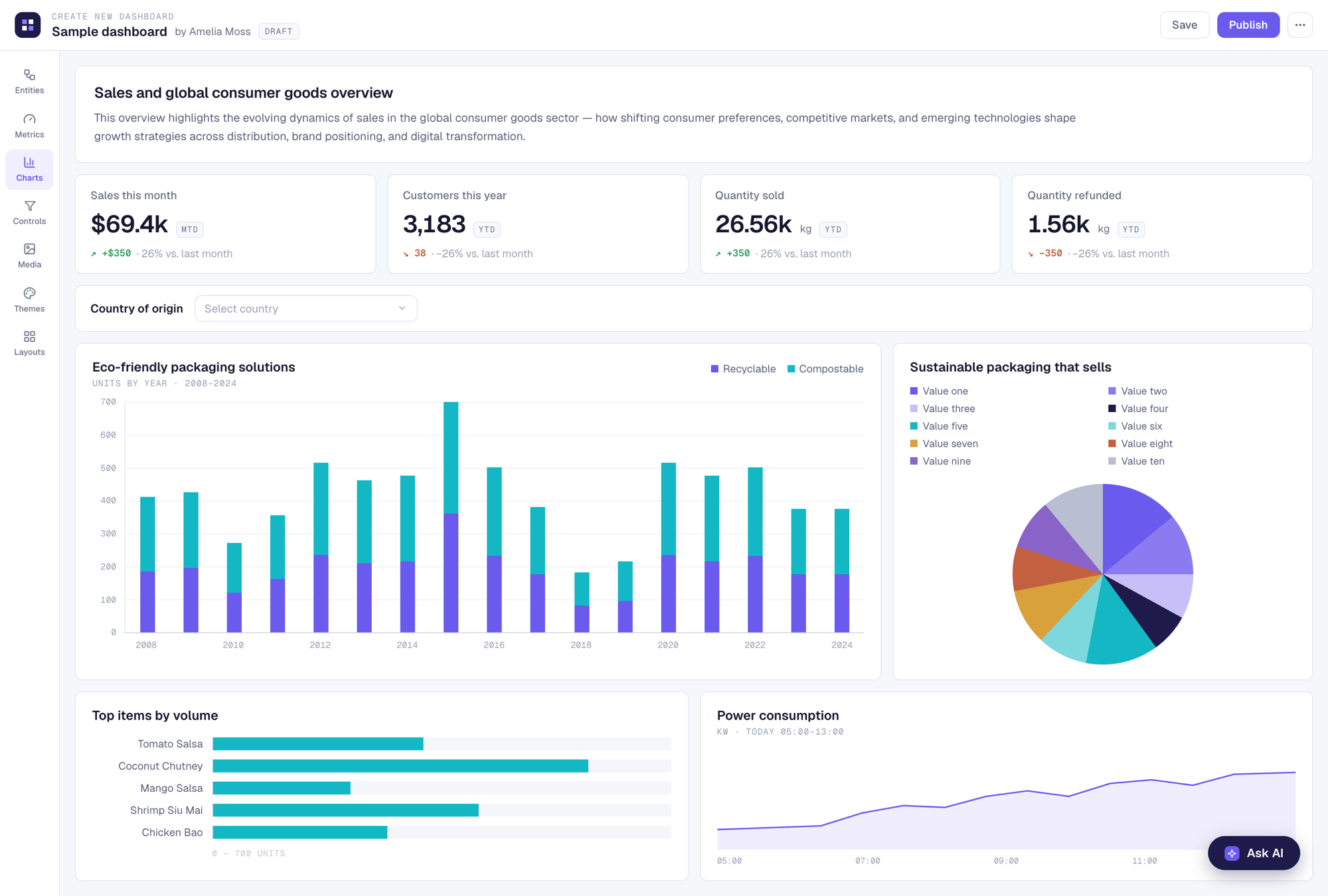
The dashboard builder works the way a good checkout does. Everything is previewed, everything is reversible. Datasets, metrics, charts, controls, media, themes, and layouts sit in one toolbar, and hovering any metric shows its full card, source metrics and calculation included, before it goes on the canvas. Trust travels with the number instead of living in a wiki.
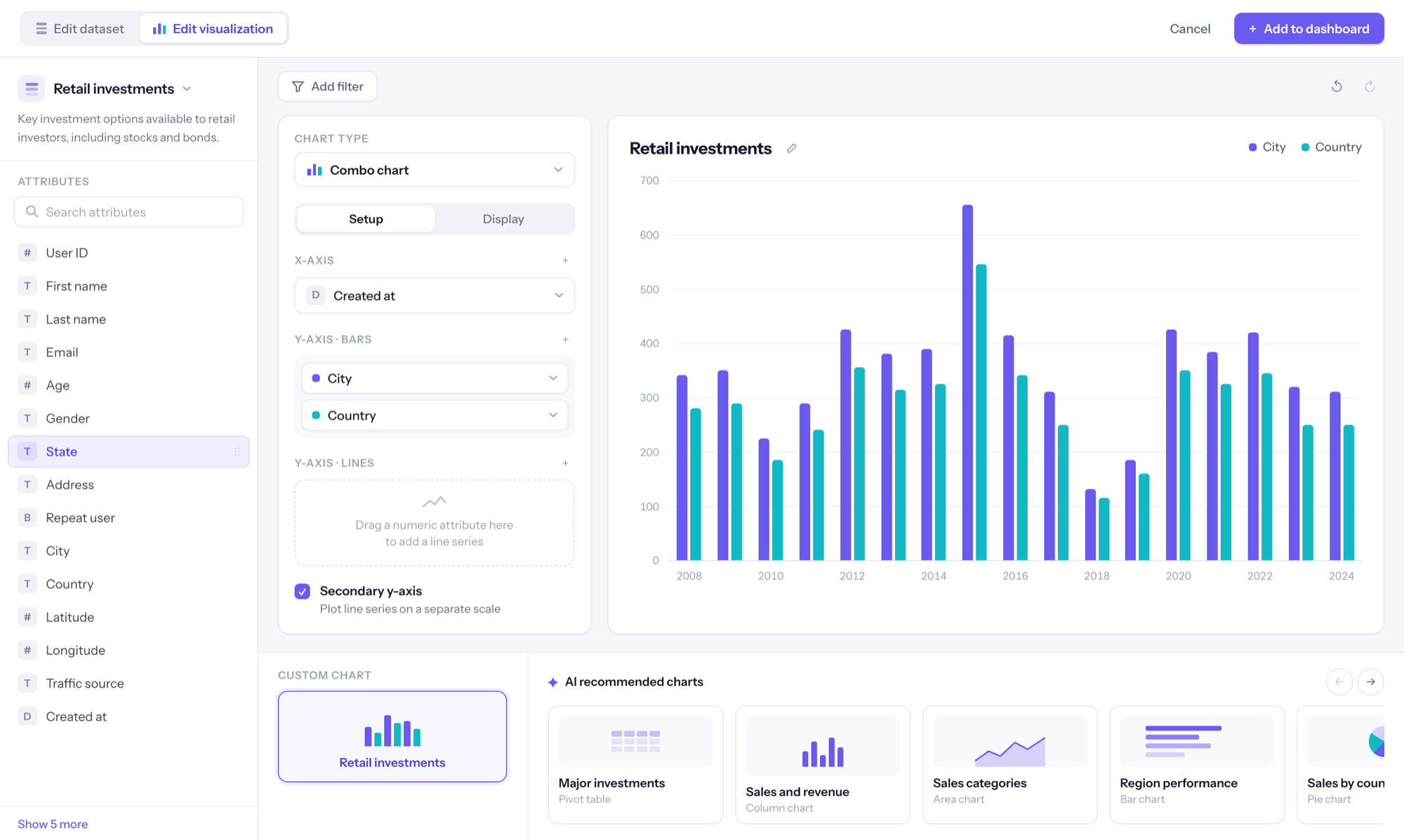
The chart builder keeps the manual and AI-assisted paths in the same editor. You can wire axes and series yourself, or start from an AI-recommended chart and adjust it. Either way you have the full set of controls at all times, so the AI path never turns into a black box.
Universal AI
We designed the AI interactions separately at first: create a metric, create a dashboard, have a conversation with a metric, have a conversation with a dashboard. Four doors into the same room. Then in user testing (peer reviews and heuristics, then data scientists and directors in the wider organization, then alpha clients) users kept asking for the same thing. They wanted the insight from a saved conversation, turned into a visualization, collected alongside others, and assembled together to tell a story.
That led to the decision that reshaped the product. We hypothesized that everything should start with Universal AI, rather than users starting at an empty dashboard, or staring at one.
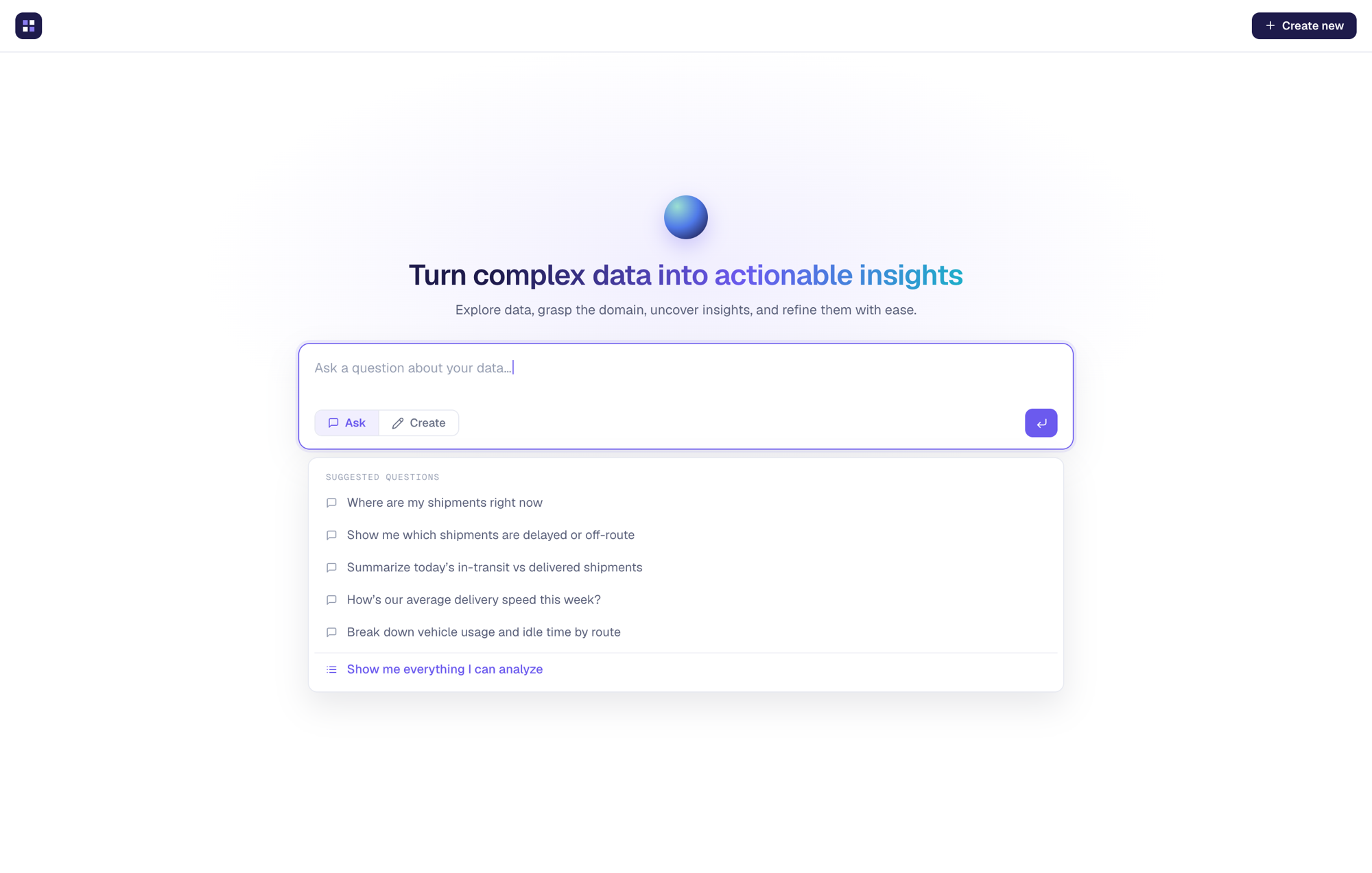
Users open the product to one conversational surface, with history, search, and session memory, and from there either ask something brief or create a full dashboard. We moved from AI as an assistant inside dashboard creation to AI at the forefront of the whole product. The system proposes metrics, charts, and layouts, and each step is refined and confirmed rather than accepted on faith. Any AI-made chart can be pinned to a dashboard, and any AI-made metric opens in the same editor as a hand-built one.
Underneath it is a pattern we called trust scaffolding: confidence indicators, source attribution, and a visible reasoning chain. Engineering wanted to show the output and move on. I pushed the other way, because without the scaffolding there’s no way for a user to tell a number they can rely on from one they can’t.
The Insights Hub
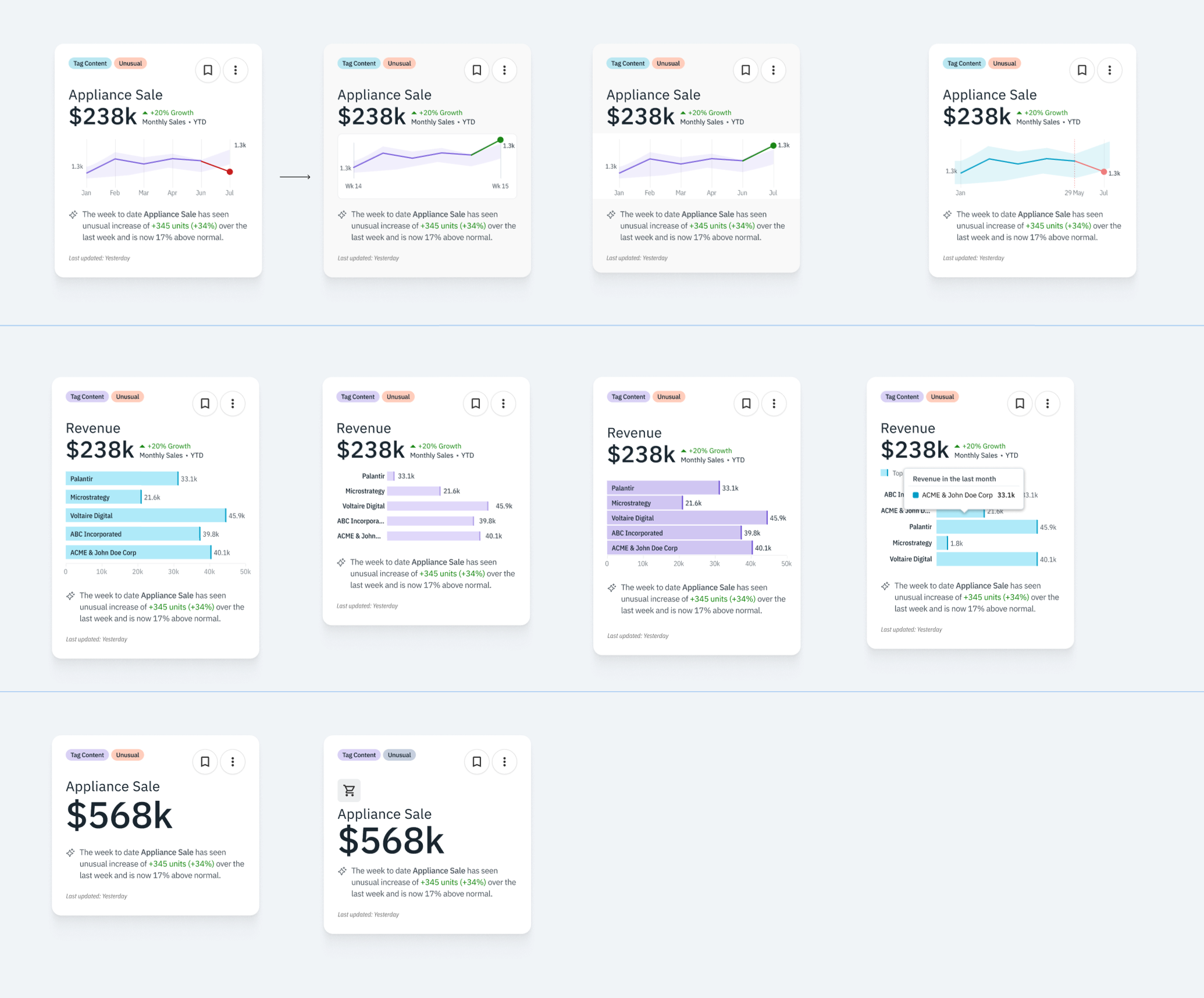
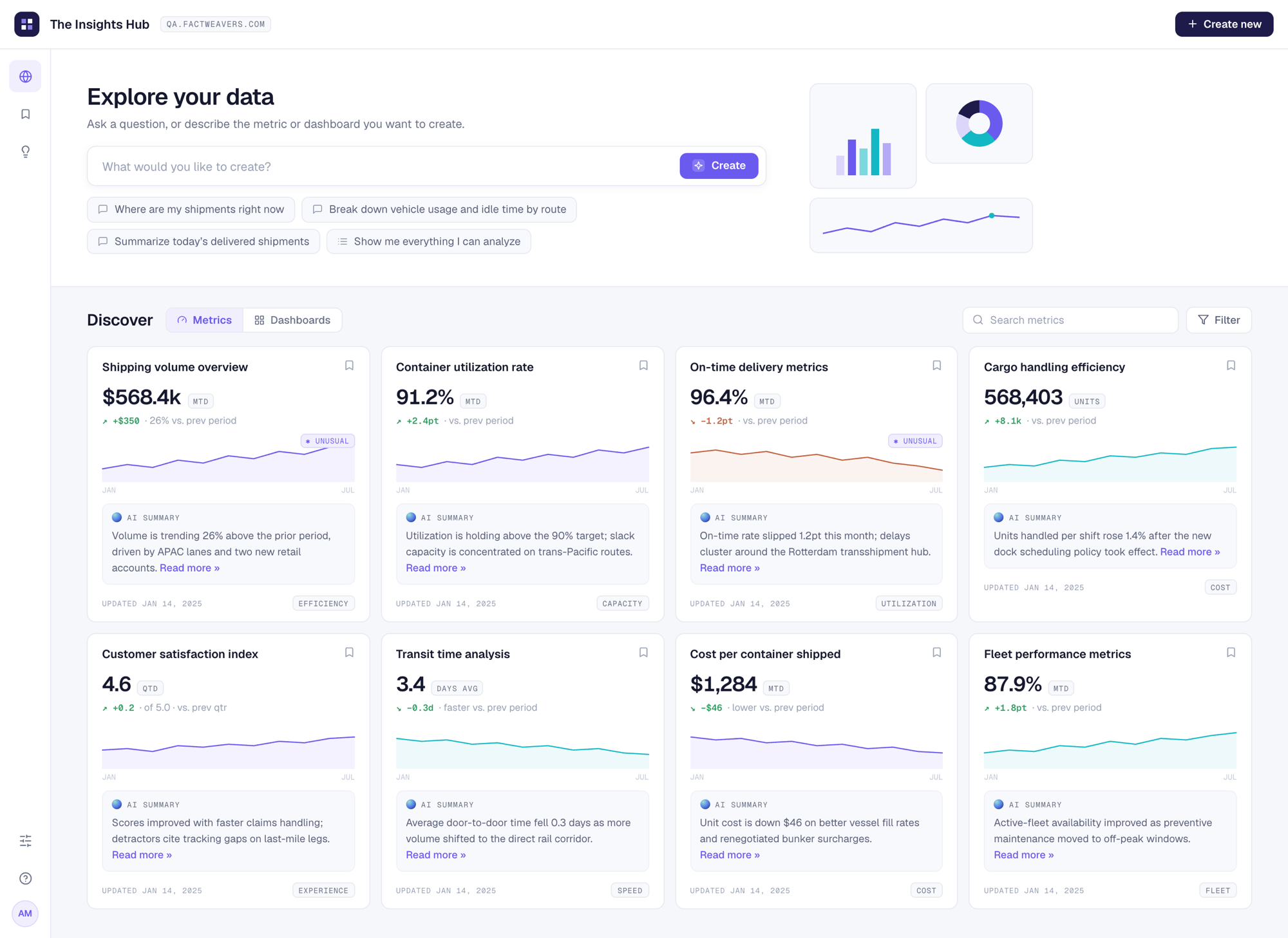
The hub is the Navigator persona’s front door. Leadership browses published metrics and dashboards, and every card carries an AI summary in plain sentences (“volume is trending 26% above the prior period, driven by APAC lanes”). Unusual movements are flagged inline, where you’re reading, rather than discovered later. This screen also carries the Ask interface, so questioning a number is one click from seeing it.
The design system
Under all of this sits a design system built on a heavily customised ShadCN base. The complexity compounded, because we needed an interface colour system for dark and light modes, themes for the shareable dashboards, and on top of both, a chart system with usable and accessible colour ramps and categorical sets.
- Token architecture for colour, spacing, type, interface chrome
- Theming layer for brand themes in light, dark
- A separate chart sub-system with its own rules.
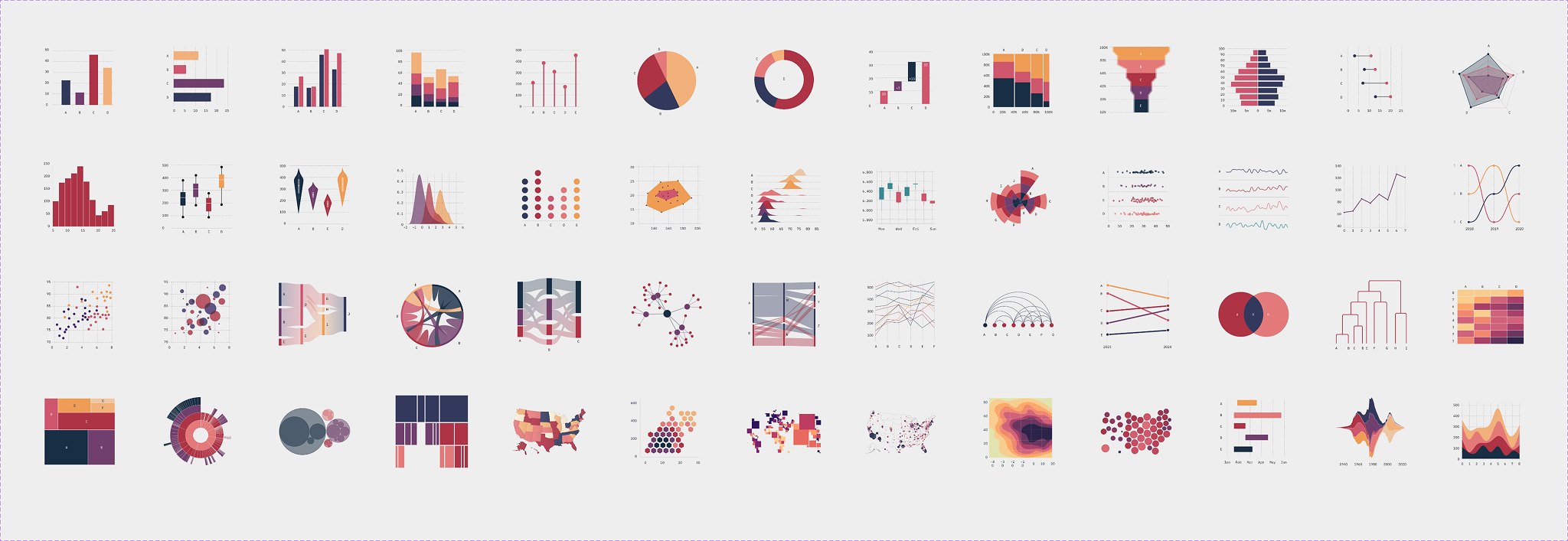
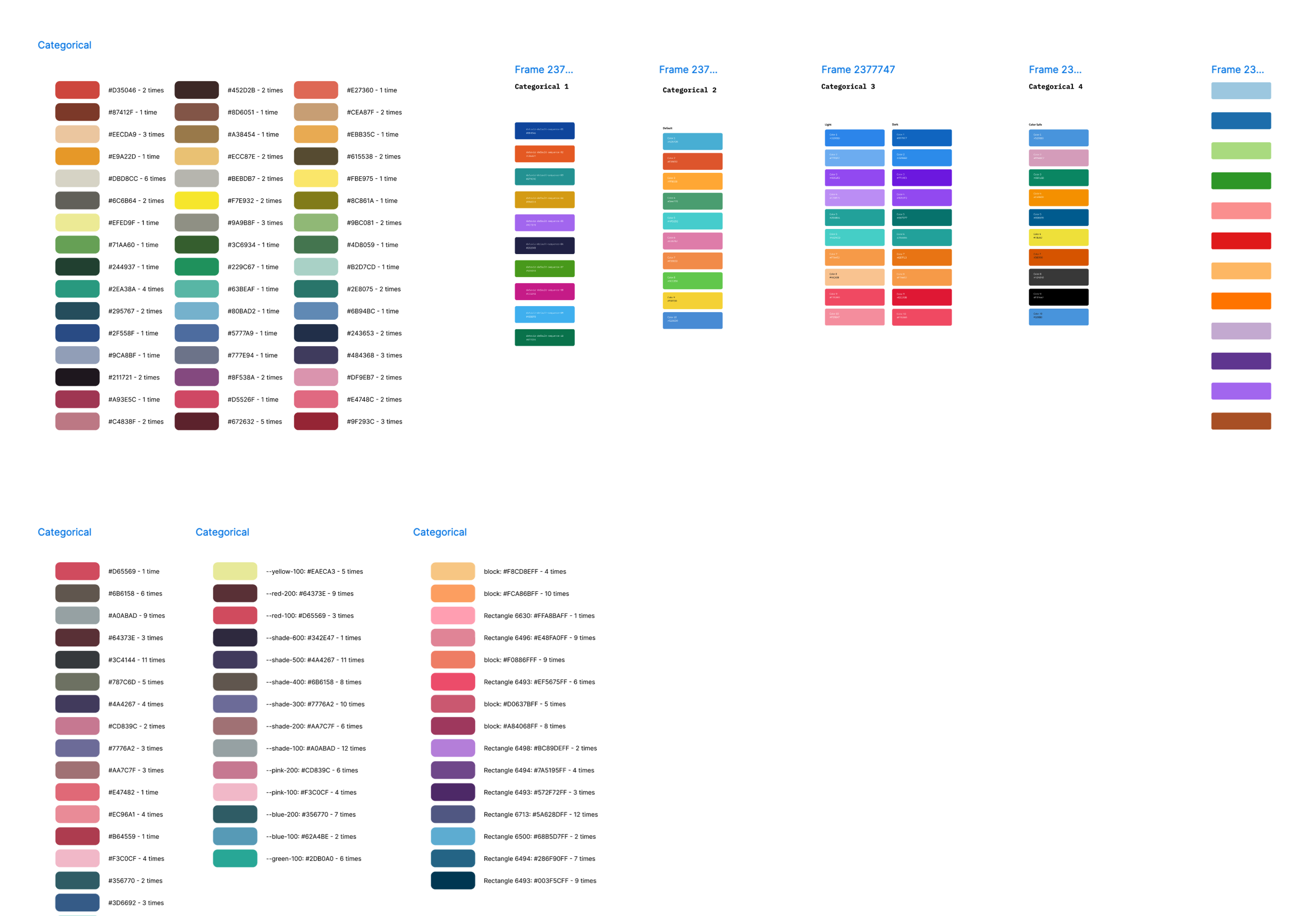
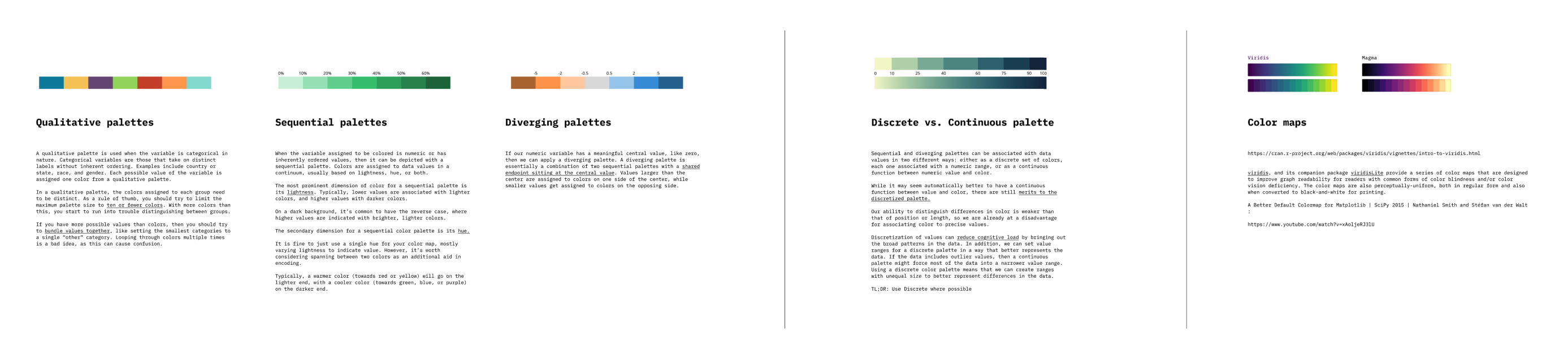
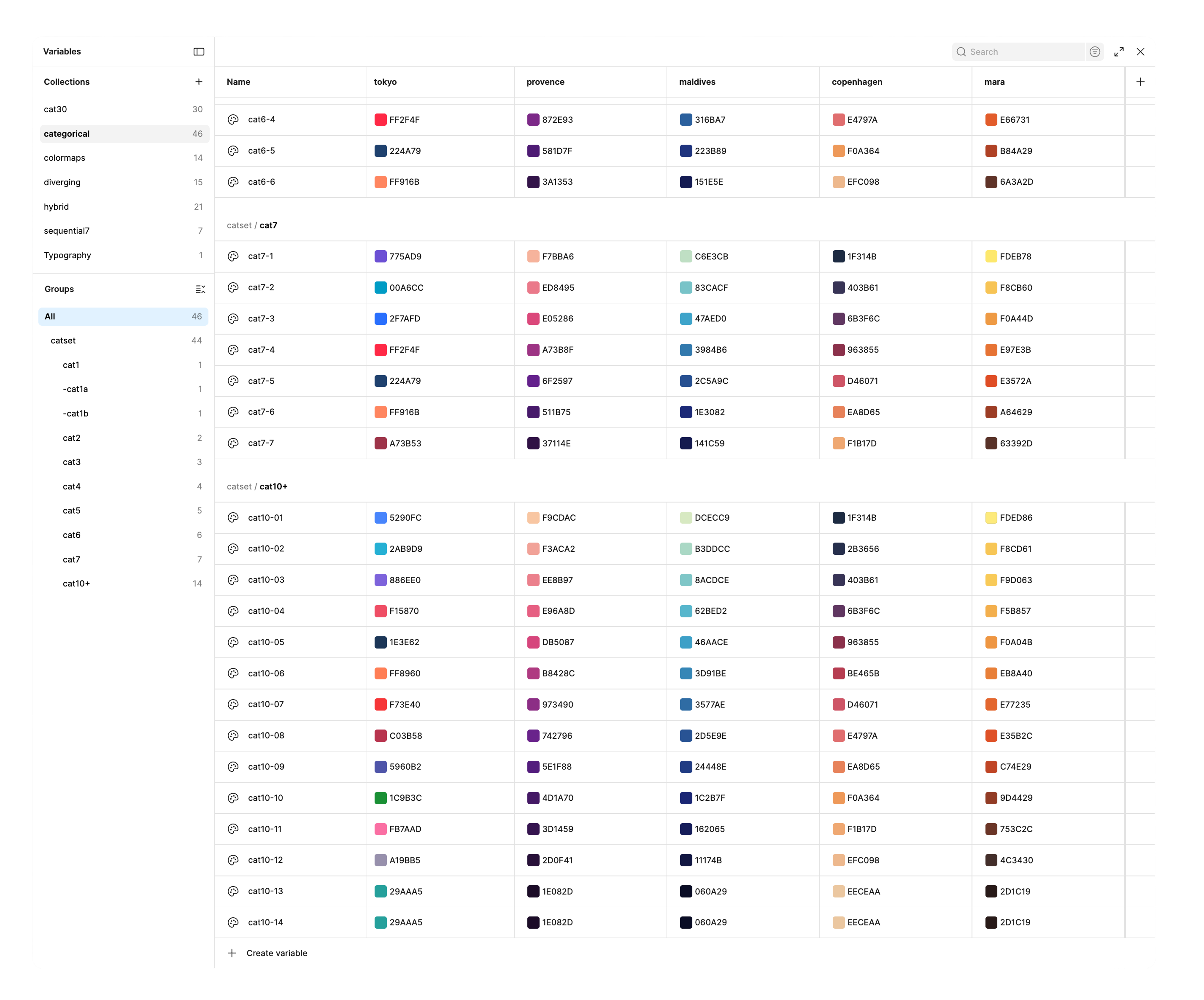
The chart rules were hard-won, and they taught me a lot on top of what I already knew about colour in charts. Categorical palettes have to keep every colour distinct in both hue and lightness, because two colours sitting near each other imply the categories are related without ever saying so, and they have to stay legible across different kinds of colour vision. Sequential and diverging ramps are ordered by lightness. Heatmaps and geographic views use viridis and magma, because those colormaps tell the story without being misread. And since customers theme their own dashboards, every one of these rules has to survive a theme change. That was the problem behind the original charts assignment I was called in to solve.
My split was roughly 70% hands-on, 30% leadership. I owned the product direction, the key screens, the token and theme architecture, and the chart system, working day to day with the chief of innovation (who was also the lead AI engineer), the product owner, 3 front-end engineers, and 4 QA engineers. In the second half of the engagement I recruited two senior product designers and mentored them. Each took a module: onboarding, the conversational flows, the insights hub, schema onboarding, metric creation.
The platform is young, so the numbers come from comparative trials and pilot customers rather than a mass market, but they all pointed the same way.
Trust tracked the explanation, which is what we’d hypothesized and designed for. The change I liked watching most was a small one: an executive building a chart, opening the calculation sitting behind it, and then asking the follow-up question themselves instead of filing a request for it.